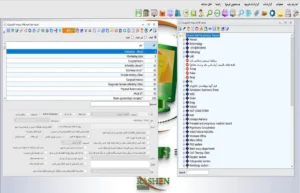
Electronic medical record migration software should be evaluated through a data acceptance plan: identify the source, preserve each record's relationship to the patient and encounter, inspect a trial sample in the destination, and obtain approval from authorised staff before operational use. Seeing a number of files in a new system does not establish that information has been transferred correctly and completely. The central question is whether an authorised user can retrieve the required record with its context and origin clearly understood.
Rashen System's electronic record introduction describes information entry, searching, attaching images and documents, and access for multiple users with different permission levels. That general description does not establish an import tool for every previous application or support for every file format. This guide presents migration steps as project requirements and questions for a product demonstration. The actual mechanism, accepted formats and implementation responsibilities must be established for the proposed version and agreement.
The examples are fictional and contain no real patient information. This text provides no treatment instructions, clinical decisions or security certification. Qualified staff at the centre are responsible for interpreting medical records and deciding whether they are adequate. Retaining the reference copy, authorising access, retention periods and legal requirements must follow approved organisational policy and applicable rules. Choosing software cannot, by itself, guarantee complete compliance or a clinical outcome.

1. Define the purpose and scope of the transfer
Before preparing files, establish which information is being transferred and why. Active records, archived files, scanned documents and information about today's encounter do not have identical requirements. A centre may want some historical information to remain viewable while other information continues in structured forms. These purposes require different acceptance criteria and implementation methods. They should not disappear behind a broad promise to transfer everything.
For example, a fictional clinic wants to associate older referral letters and a list of current encounters with the destination system. The letters might remain documents, whereas encounter information needs defined fields. The project team must distinguish a file, searchable data and an index pointing to an older reference source. This decision comes before promising a particular transfer speed or claiming that all information will be available in the same way.
When assessing electronic medical record migration software, document what is inside and outside the scope. If a record is not being transferred yet, specify how authorised staff can consult it. Excluding it from the project does not mean it is clinically unnecessary. The centre's responsible manager should agree the scope with medical records staff, relevant users and the technical team, and resolve open questions before real operational work starts.
2. Identify the data owner and decision responsibilities
Migration is not simply a computer operator's task. The centre's responsible manager decides the authorised purpose, medical records staff address meaning and classification, and the technical team explains implementation. Without clear roles, a straightforward question about an ambiguous document can move between several people without an answer. Assign an accountable person or role to each type of decision, rather than treating everyone on the project as equally authorised.
In a training example, an older file contains two different dates and it is unclear which one identifies the encounter. The technical team may be able to transfer both, but should not guess their medical or administrative meaning. Someone familiar with the source must clarify the definition, and the mapping must record it. If an answer is unavailable, the item remains under review; turning a guess into a definite value only creates an appearance of better data.
For electronic medical record migration software, prepare a short responsibility matrix: who supplies the data, who checks it, who authorises corrections and who approves final acceptance? This document does not replace the agreement or organisational policy, but makes the discussion clearer. Access must also match the person's task. Membership of a migration project is not, on its own, permission to inspect every piece of patient information.
3. Inventory the sources and formats
Records may be held in a previous application, a spreadsheet, folders of scans or a paper archive. For each source, identify its name, responsible person, information type and delivery format. Calling something a computer file is insufficient. Establish which data can be extracted and which information is only visible as an image or text. Check extraction arrangements and permission to use the information through authorised channels.
electronic medical record migration softwareor electronic medical record migration software, a spreadsheet that opens successfully in an application is not necessarily ready for direct import. Column headings, date types, identifier conventions and text encoding can affect interpretation. Conversely, a readable scan may be useful for viewing, but its contents do not automatically become structured data. Explain this difference when setting user expectations and planning training, so that an assumed conversion capability is not attributed to the product.
When evaluating electronic medical record migration software, prepare fictional examples of the source formats and ask the product team which route is actually supported. Include a conversion tool, interface or separate implementation service in the proposal only after its scope is clear. Rashen System's document attachment description does not imply automatic conversion of every legacy archive. Each proposed route needs a sample and an observable result.
4. Keep the patient identifier separate from the name
A person's first and last name are insufficient for definitive identification. People with the same name, spelling differences or changed details can make matching difficult. The project must specify which identifiers and authorised verification process will connect a record to a patient. This guide does not prescribe one identifier for every centre. The approach must fit the source structure, the centre's identification policy and relevant requirements.
In a fictional example, two records have similar names and one file has an incomplete identifier. Automatically merging them merely because the names look alike is not a defensible decision. Refer the case for review by an authorised person and identify the source of additional information. If a document becomes attached to the wrong patient, its presence in the destination is not success. Correct association matters more than a transferred-record total.
Test electronic medical record migration software with incomplete identifiers and potentially duplicated information. Ask how staff find the record, avoid a mistaken association and correct an approved error. Do not assume an automatic matching tool exists without seeing it and understanding its limitations. Under the centre's procedure, the identity review and approving person should be traceable, while unnecessary details remain unavailable to staff without a work-related need.
5. Preserve the relationship with the encounter and time
One patient may have several encounters and several similar documents. Moving everything into a general folder does not explain each document's context. Establish which encounter, episode or recorded event it belongs to, as far as a reliable source allows. Where the original source lacks that relationship, do not infer it from file order or folder names and then enter the inference as an established fact.
For example, two reports have the same file creation date but different service dates. The file date may represent scanning or export and should not replace the encounter date without review. Document the meaning of each date type in the mapping. If the calendar or display format changes, review ambiguous and boundary examples with the responsible staff, and keep the original value recoverable under the project plan.
During acceptance testing of electronic medical record migration software, ask an authorised user to find a training document through its patient and encounter and explain the date's origin. Searching only for the filename is insufficient. This test distinguishes preserved context from simple file movement. Record each limitation of the destination or transfer method specifically, so that users do not mistake partially available information for a complete record.
6. Approve field mapping before execution
When reviewing electronic medical record migration software, mapping establishes what each source field means and where it belongs in the destination. Similar labels do not always mean the same thing. A legacy file number, patient identifier and encounter number may be separate concepts. Record the definition, data type, conversion rules and approving role for each item. If information will remain in a document rather than structured fields, make that decision explicit as well.
In a training example, a source column labelled notes contains both administrative comments and some clinical text. Moving it to a field with broader access without reviewing content and permissions would be inappropriate. Authorised staff must decide whether to separate the contents and where to keep them. The technical team should not infer sensitivity or purpose from an ambiguous column heading. Every transformation needs a reliable definition.
To assess electronic medical record migration software, review several sample rows alongside the mapping and compare the visible output with the user's expectation. Preserve the distinction between blank, unknown and not recorded. Treating them as identical can change the information's meaning. This project is about preserving meaning, rather than filling every field. An invented value must not substitute for the absence of genuine source information.
7. Check document and attachment readability
A link or document name appearing in the destination does not demonstrate that the contents are readable. In the acceptance sample, open the file with authorised access and check page completeness, orientation and association with the record. Counting files will not reveal an unreadable image or missing pages within a document. Review criteria must relate to the document's actual use and the centre's policy.
Rashen System describes attaching images, test documents and other records to the file. Ask which formats, size limits, viewing methods and attachment permissions are available in the proposed version. This introduction does not establish automatic text recognition, conversion of all formats or analysis of medical content. Raise those requirements separately if needed, and include only confirmed functionality in the project scope.
Include a multipage scan, documents with similar titles and an incomplete item when assessing electronic medical record migration software. This is not a clinical test and does not require creating new real patient records; fictional data can demonstrate the viewing route. If the source file was already incomplete, do not attribute that defect to the destination, but do not hide it either. Keep its origin and the responsible decision-maker clear.
8. Manage suspected duplicates without rushed deletion
Two files with identical names can have different contents, while differently named files can be versions of the same document. Names or file sizes alone therefore cannot establish duplication. The project needs a process for identifying suspected duplicates, reviewing them and recording the decision. Irreversible deletion must not become a shortcut for simplifying a count report. First consider meaning and the applicable retention requirement.
For example, an initial report and a corrected version both exist in the source. Transferring only the latest might lose the context of the correction. Displaying both without explanation might leave users uncertain about the current reference. The responsible staff must decide under the centre's procedure. Version labels or links are part of the solution only if their actual implementation has been checked, rather than merely assumed.
Use this example to test electronic medical record migration software: how will a user understand the difference between versions and return to the reference for review? Do not infer a complete history or duplicate removal tool from the term digital archive. If part of the solution uses a manual procedure, document its responsibility and evidence. The quality of the outcome depends on both the tools and the implementation process.
9. Keep trial access limited and purposeful
Data transfer is not sufficient justification for broad access by every project member. Identify what each role needs and how temporary access ends. Training data should be fictional wherever possible. If an authorised real sample is necessary, its selection and use must follow permission and organisational policy. This guide does not independently authorise extraction or sharing of medical records.
Multiple-user access with different permission levels is described in Rashen System's introduction. During the demonstration, present the centre's actual roles and separately inspect access to the record, attachments and reports. A restricted user label is not enough; the behaviour must be visible. Also plan access to transfer tools and intermediate files, since protection concerns more than the destination application's final screen.
Turn access acceptance into a scenario for electronic medical record migration software. An authorised role should see the relevant training document, while a role without permission should not have the same access. The centre's responsible staff define the technical and legal details. Record the test date and scope, and do not extrapolate a limited test into a claim of complete security or a standards certification for the whole system.
10. Separate the trial run from final migration
Before the final operation, assemble a sufficiently varied sample. Selecting only simple records will not expose limitations. Attachments, incomplete identifiers, multiple encounters and information requiring review can be included in fictional examples. The purpose is to see how the team handles difficult cases, rather than using easy examples to declare that every route is complete.
Write an expected result for each example used to evaluate electronic medical record migration software. A document might need to remain associated with the correct fictional patient and encounter, with its title and pages visible. A person other than the conversion implementer should then review the output with authorised access. Independent review can reveal an error that has become familiar to the implementer. Add discrepancies to the issue list and retest the same case after correction.
Clarify with the provider which tools and services are needed for a trial of electronic medical record migration software. A successful sample does not authorise unchecked transfer of all data. Establish which situations were covered and which remain open. Base final volume, timing and implementation resources on real conditions. This guide specifies no fixed capacity, guaranteed completion time or migration price.
11. Combine counts with a review of meaning
Record and file counts help with overall control, but are insufficient alone. Every file might be present while some are associated with the wrong record. A multipage document may also be split into several files, changing the total. Define the counting unit before comparing results: patient, encounter, document or file. Each unit needs a clearly understood report and meaning.
In a training example, the source contains ten documents but the destination shows twelve files because two documents were split into separate parts. This difference does not automatically indicate missing or extra information; the relationship needs explanation. Conversely, equal totals do not establish correct association. For selected examples, inspect the title, encounter context, visible content and access status, and retain those results alongside numerical controls.
Assess electronic medical record migration software against combined criteria: explainable counts, correct relationships and usable retrieval. Write the criteria before execution so that the definition of success does not change afterwards merely to make approval easier. If a portion remains unverified, keep it open. An honest description of limits is more useful to the eventual user than an unsupported statement that the transfer is complete.
12. Record corrections with their reference and owner
When an error is found, classify it: a source defect, incorrect mapping, a conversion execution problem or a misunderstanding of the display? This directs correction to the right place. Changing a destination value without understanding the cause may allow a later run to overwrite it again. Connect the issue to an example, source reference, corrective action and approving person.
In a fictional example, a document has been linked to a different encounter. The team must establish whether an ambiguous source identifier or a mapping rule caused it. After correction, retest the same scenario and relevant similar cases. Choose additional checking according to cause and impact, rather than simply increasing report volume. Do not rewrite clinical information without the responsible authority and approval; a technical correction does not authorise changing its meaning.
During acceptance of electronic medical record migration software, request a demonstration of how a correction and its reference can be reviewed. Raise any specific history or detail requirement explicitly and inspect the real capability. Do not assume every form of traceability exists. Close an issue when the corrected result meets the agreed criterion, rather than when the implementer merely states that a file has been changed.
13. Plan the transition and access to the previous reference
New information may be recorded between the final source export and the start of destination use. The project needs a plan for that interval. Identify when the reference export is taken, where daily recording continues and how later information will be reviewed. Omitting the interval from the plan does not remove it from real operations and can create gaps.
Keep authorised consultation of the earlier source clear until an approved decision changes it. This is different from permanently operating two systems; the aim is reference checking under organisational policy. Assign responsibility and methods for backup, recovery and ending temporary access. Possessing a copied file does not by itself prove that usable information can be recovered when needed.
Evaluate electronic medical record migration software within the centre's actual transition plan, rather than only through one sample record on screen. Ask the provider about implementation dependencies and responsibility at each stage. If a rollback or safe pause plan is needed, authorised staff must define and document it. This guide supplies no technical recovery instructions or promise of uninterrupted operation; it identifies the need for an executable plan.
14. Connect final acceptance with user training
After samples are approved and necessary issues addressed, users need to understand how transferred records appear and which limitations remain. If some information arrived only as documents, do not create an expectation of structured reporting from all their contents. Training should distinguish new data, transferred history and the older reference. A shared screen label does not imply that all information has the same origin.
Prepare the scope, criteria, test results, resolved issues and remaining items for the acceptance meeting. The approving person must understand the decision's boundaries. Approval of a defined part does not accept every capability or clinically validate every record. Each open issue needs an owner, next step and follow-up route, so that it is not lost in daily work and users know where to refer uncertainty.
When choosing electronic medical record migration software, bring these materials to the demonstration. Rashen System provides an electronic record introduction and a contact route for requesting a presentation. Present your fictional sample and specific questions. Record conclusions based on observed behaviour and the proposed scope. This approach avoids attributing unconfirmed features and gives technical, management and medical records staff a shared basis for discussion.
15. Frequently asked questions about record migration
Is attaching a file the same as transferring the complete history?
No. An attachment can be only part of the process. Its patient and encounter relationship, readability, access and origin must be clear. If its contents have not been converted to searchable fields, do not create that expectation. Complete migration depends on the agreed scope and acceptance criteria, and a file count does not establish it.
Can Rashen System import from every previous application?
The introduction does not establish unlimited support. Source formats, export availability, connection arrangements and the destination version require review. When assessing electronic medical record migration software, bring fictional examples and source specifications, and include only confirmed routes in scope. A separate tool or service may need independent assessment and agreement.
What should happen with incomplete identifiers or suspected duplicates?
Refer the item for authorised review, rather than merging or deleting based on similar names. Clarify the additional information source, decision-maker and outcome. Do not fill missing information with a guess. Keeping uncertainty visible pending review is preferable to creating a wrong association and allows users to understand the limitation.
When can the migration be considered complete?
When the agreed scope has been checked against predetermined criteria, sample relationships and retrieval are approved, and open items have defined owners and status. For electronic medical record migration software, consider counts, meaning and access together. Acceptance needs clear boundaries and must not be presented as a clinical outcome, absolute security or an approval that was never actually assessed.
Sources and further information
- Rashen System electronic record introduction
- Hospital information system introduction
- Arrange a product presentation
The ESHRE directory can help locate published professional guidance. This reference is not a product approval or a data migration procedure. ESHRE